> ## Documentation Index
> Fetch the complete documentation index at: https://awscloudclubs.mintlify.site/llms.txt
> Use this file to discover all available pages before exploring further.
# Setup: Visual Studio Code Server 설정하기
이 워크샵은 AWS 주최 랩으로만 제공됩니다. AWS에서 IDE와 임시 AWS 계정을 제공하고, 여러분은 컴퓨터와 웹브라우저, 인터넷 접근이 가능해야합니다.
실습을 빠르게 진행할 수 있도록 Amazon EC2 인스턴스에서 실행 중인 Visual Studio Code Server(VS Code Server)를 사용할 예정입니다.
미리 준비된 서버에서 진행하기 때문에, 컴퓨터에 VS Code, NodeJS 등을 설치할 필요가 없습니다!
### Visual Studio Code 서버에 접속하기
1. [Workshop Studio event dashboard](https://catalog.us-east-1.prod.workshops.aws/join?access-code=af66-061d8d-46) 에 접속합니다.
(이 워크샵은 이벤트 당일 오후 6시부터 10시간 동안 활성화됩니다.)
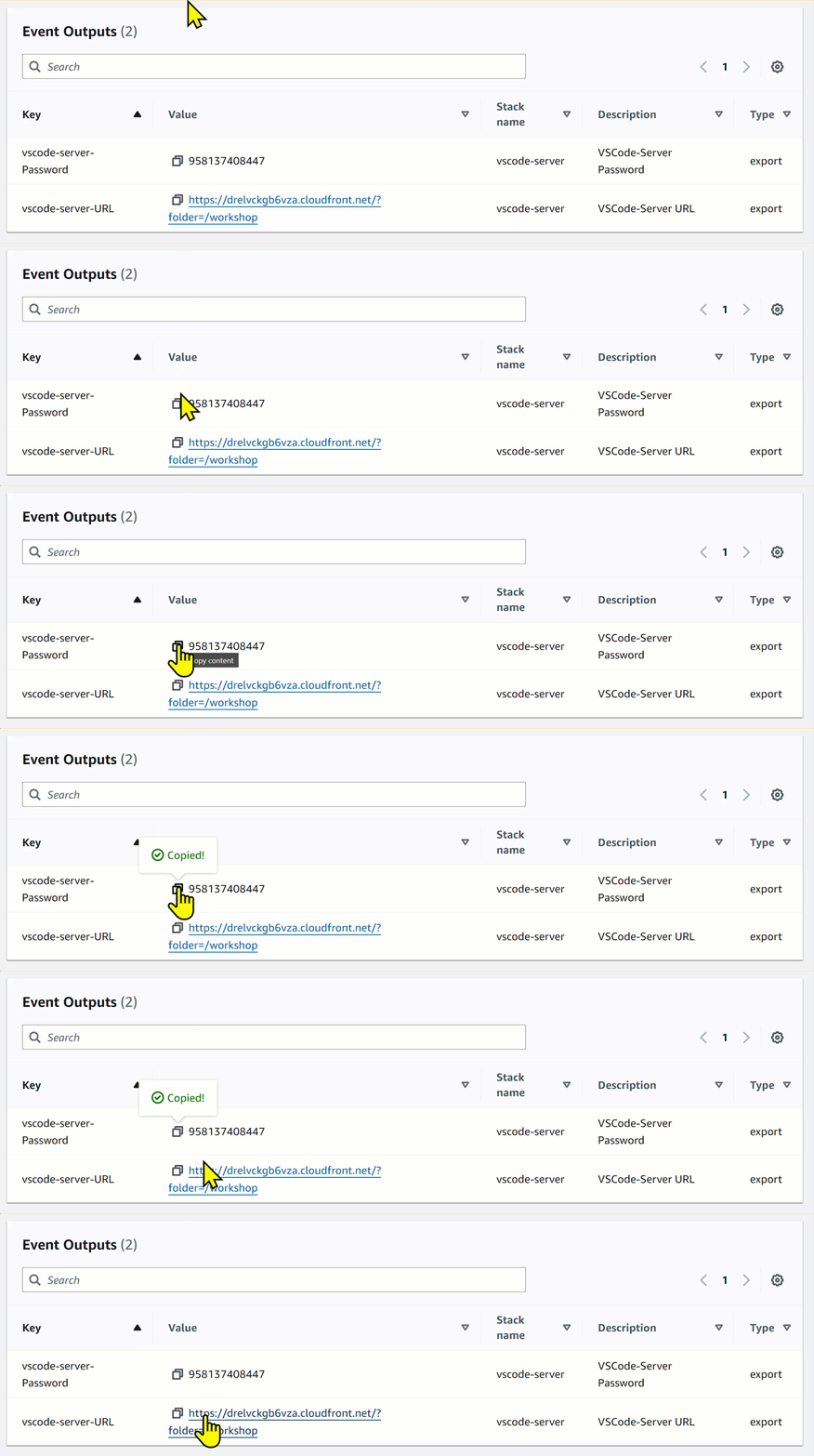
2. 화면 하단의 Event Outputs 패널로 이동합니다.
3. Password를 복사합니다. 다음 단계에서 필요해요!
4. URL을 클릭해서 Visual Studio Code Server에 접속하세요.
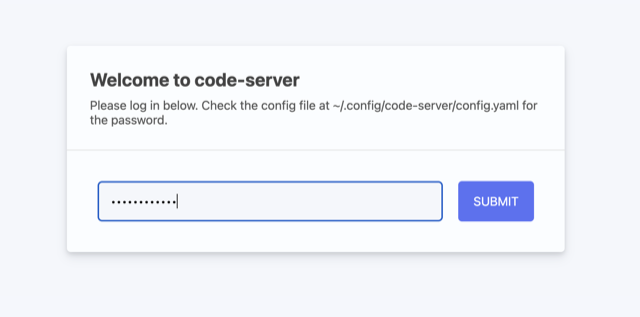
 5. Welcome to code-server 모달에 앞에서 복사했던 비밀번호를 붙여넣기 하고, Submit 을 제출해주세요.
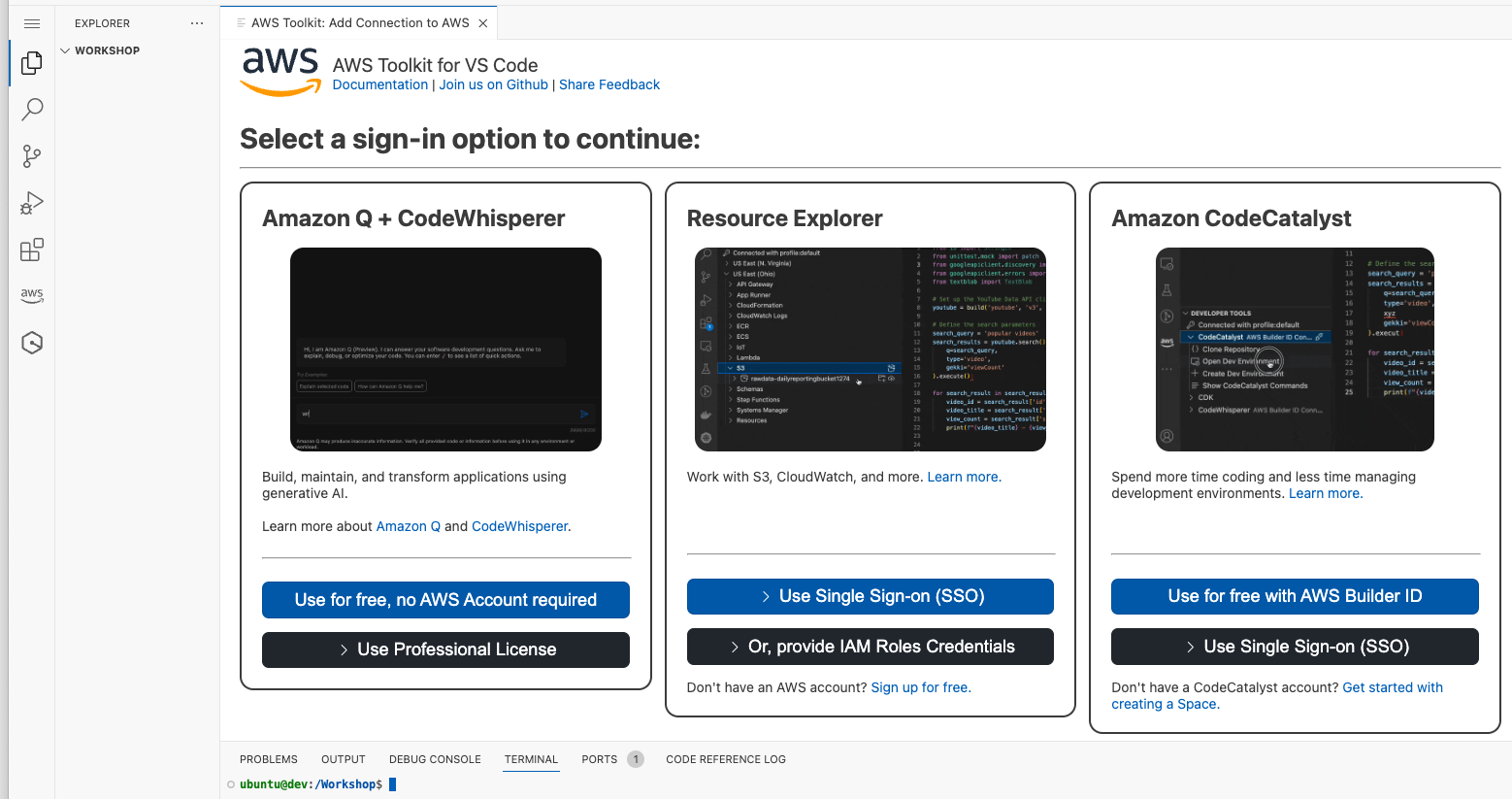
 그러면 다음과 같은 Visual Studio Code IDE를 볼 수 있습니다.
 ### Visual Studio Code Server에 설치된 것들
다음 요소들은 이미 여러분의 VSCode 서버 인스턴스에 설치되어있습니다.
* [Node](https://nodejs.org/en/download)
* [Git](https://github.com/git-guides/install-git/)
* [Vite](https://vitejs.dev/guide/)
따라서 여러분은 EC2 인스턴스나 로컬에 이 툴들을 설치할 필요가 없으니 그대로 진행해주시면 된답니다.
### Visual Studio Code Server에 설치된 것들
다음 요소들은 이미 여러분의 VSCode 서버 인스턴스에 설치되어있습니다.
* [Node](https://nodejs.org/en/download)
* [Git](https://github.com/git-guides/install-git/)
* [Vite](https://vitejs.dev/guide/)
따라서 여러분은 EC2 인스턴스나 로컬에 이 툴들을 설치할 필요가 없으니 그대로 진행해주시면 된답니다.